 +994512060920


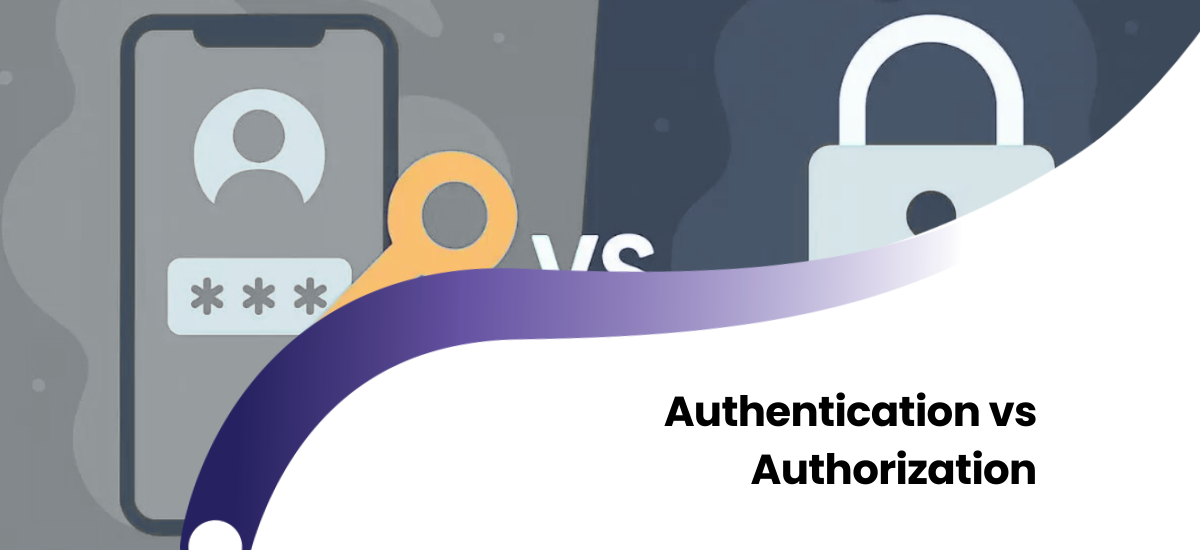
In the modern digital landscape, there are two distinct processes we undergo dozens of times a day, often without realizing it: logging into a system and accessing data within that system. In the realm of cybersecurity and Identity and Access Management (IAM), these processes are known as Authentication and Authorization. While these terms are often used interchangeably by non-technical stakeholders, they perform entirely different functions and represent separate pillars of security architecture.
In this comprehensive guide, we will move beyond simple definitions. We will analyze the core operating principles, the nuanced differences between AuthN and AuthZ, the protocols used in modern applications (OAuth, JWT), and how to determine which security model is best suited for your business infrastructure.
Part 1: Authentication (AuthN) – "Who Are You?"
Authentication (abbreviated as AuthN) is the process of verifying the identity of a user, device, or process attempting to access a system. It is the first line of defense. Imagine you are at an airport; passport control verifies your identity. If your document is fake or does not belong to you, you cannot enter the terminal. This is classic authentication.
The Three Factors of Authentication
Modern security systems use one or a combination of three primary factors to prove identity:
- Knowledge Factor ("Something you know"): This is the most traditional method. It includes passwords, PINs, and answers to secret security questions. However, when used alone, this is the weakest link in security.
- Possession Factor ("Something you have"): Ownership of a physical or digital item. Examples include: an SMS code sent to a smartphone, a Google Authenticator app, a hardware security key (YubiKey), or a bank card.
- Inherence Factor ("Something you are"): Your physical characteristics. Fingerprint scanners, FaceID (facial recognition), voice recognition, or retina scans. Biometrics improve User Experience (UX) while significantly increasing security.
Why is MFA (Multi-Factor Authentication) Critical?
A single factor (e.g., just a password) can be easily compromised through phishing or brute-force attacks. Therefore, modern cybersecurity standards require the combination of at least two factors. This reduces the risk of account compromise by up to 99.9%.
Part 2: Authorization (AuthZ) – "What Can You Do?"
Once a user has successfully logged in (Authentication), the second phase begins: Authorization (abbreviated as AuthZ). This process determines which resources the verified user can access within the system, and what actions they can perform (read, write, delete).
Returning to the airport analogy: You have passed passport control (Authentication), but that does not mean you can board any plane. Your boarding pass (Authorization) grants you access only to a specific flight and a specific seat (e.g., Business or Economy class). You cannot enter the cockpit because you do not have the authorization to do so.
Access Control Models
In large enterprise systems, managing permissions for every single user manually is impossible. Therefore, specific strategies are applied:
- RBAC (Role-Based Access Control): The most widely used model. Permissions are assigned to a "Role" rather than a user. For instance, the "Accountant" role is granted permission to view financial records. If John is an Accountant, these permissions apply to him automatically.
- ABAC (Attribute-Based Access Control): A more dynamic and complex model. Permissions are granted based on attributes and logic (e.g., "User can open this file only between 9:00 AM and 6:00 PM and only from the office IP address").
- Principle of Least Privilege: The golden rule of security. A user should be granted only the minimum permissions necessary to perform their job. This minimizes internal threats and limits the damage of potential hacker attacks.
Part 3: Comparative Analysis of Critical Differences
| Feature | Authentication (AuthN) | Authorization (AuthZ) |
|---|---|---|
| Core Question | Who are you? (Identity Verification) | What are you allowed to do? (Access Rights) |
| Timing | Always the first step. | Occurs after authentication. |
| Visibility | Visible to the user (Login screen, Password input). | Runs in the background (Server-side validation). |
| Data Type | Passwords, Biometrics, OTP codes. | Tokens (JWT), Access Control Lists (ACL), Roles. |
| Error Code | "401 Unauthorized" (Login failed or missing). | "403 Forbidden" (Login successful, but access denied). |
Part 4: Technical Implementation and Protocols
For web developers and system administrators, understanding the technical implementation of these processes is vital. Modern Web Apps and APIs utilize the following standards:
OAuth 2.0 vs. OpenID Connect (OIDC)
Many users see buttons like "Log in with Google." There are two distinct protocols at work here:
- OpenID Connect: Authenticates the user (verifies identity with Google) -> AuthN.
- OAuth 2.0: Authorizes the application to access specific resources (like your Google Drive files) -> AuthZ. OAuth is like giving a valet key; it grants authority, not identity.
JWT (JSON Web Token)
For modern API security, stateless authentication using JWT is the standard. The workflow is as follows:
- The user logs in (AuthN).
- The server issues a digitally signed JWT Token. Inside the token, the user's role (e.g., Admin) is encoded in the payload.
- The user sends this token in the HTTP header with every request.
- The server validates the token signature and grants data access based on the role encoded within it (AuthZ).
Part 5: Security Risks and Solutions
According to reports by OWASP (Open Web Application Security Project), "Broken Access Control" is the number one security vulnerability in web applications today.
Common Pitfalls:
- IDOR (Insecure Direct Object References): A user changes a number in the URL to view someone else's profile (e.g., changing `user/123` to `user/124`). This is an Authorization failure.
- Weak Password Policies: Allowing users to set passwords like "123456". This is an Authentication failure.
Conclusion
Authentication and Authorization are inseparable components of digital security. The former guards the front door, while the latter ensures order inside the house. For business owners and developers, correctly separating these processes and implementing them according to the latest standards (MFA, RBAC, OAuth) is not just a technical detail—it is a strategic necessity to protect customer trust and data integrity.
Frequently Asked Questions (FAQ)
What is the main difference between Authentication and Authorization?
The shortest answer: Authentication verifies who you are (Login), while Authorization determines what you can do (Permissions).
What is the difference between HTTP 401 and 403 errors?
A 401 error (Unauthorized) means the system does not recognize you (you haven't logged in). A 403 error (Forbidden) means the system recognizes you, but you do not have permission to access that specific resource.
Which is more important for API security?
Both are equally important. APIs must first verify the user's identity (AuthN — usually via API Key or Token) and then validate permissions for every single request (AuthZ) to prevent unauthorized data exposure.