 +994512060920


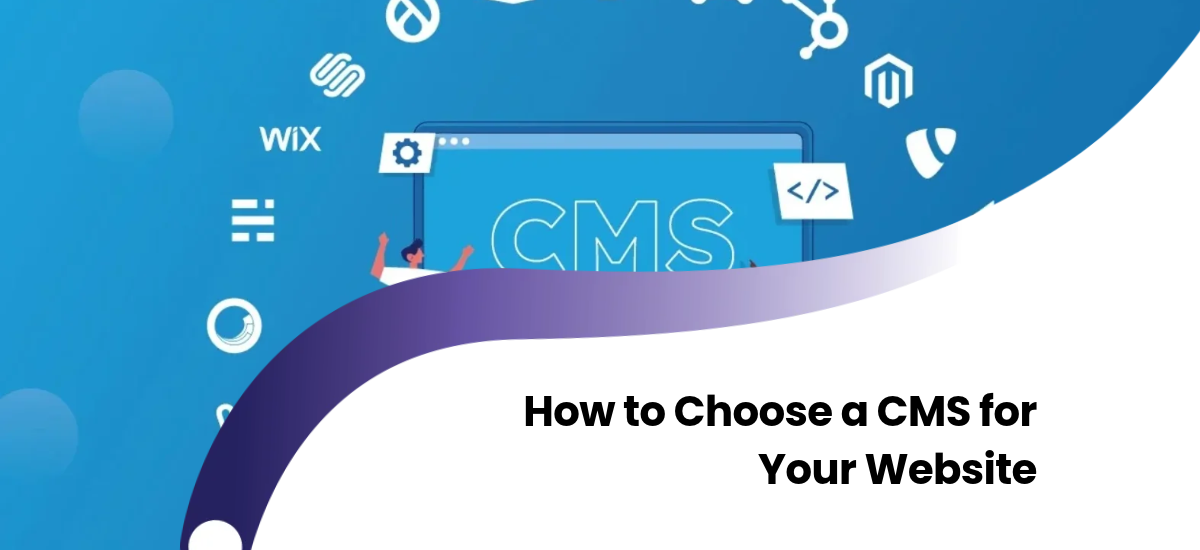
When you order a new website, one of the first questions is: "Which platform should we build it on?" Some people say "WordPress is the most common, let's use that," others recommend Shopify, and the developer suggests "let's write everything from scratch." Each answer has its own logic, but the wrong choice gets expensive later: either the platform can't keep up with the business, or you end up with a heavy, costly system you didn't need.
In this article we explain what a CMS is, the four most common paths (WordPress, Shopify, headless CMS and a custom solution), and when each one makes sense.
What Is a CMS?
A CMS (Content Management System) is a system that lets you manage a site's content without writing code. You add an article, change a product price or create a page without a developer. Behind the scenes the system stores this content and shows it to the visitor.
The question isn't "which CMS is best?" but "which one fits my business?" The answer depends on what the site is for, who is on your team and how you plan to grow.
What Does the Market Look Like?
According to W3Techs data from 23 November 2026, WordPress is used on 38.4 percent of all websites. Among sites that use a CMS, its share is 57.3 percent. Shopify appears on 5.5 percent of all websites, Wix on 4.2 percent and Squarespace on 2.4 percent. And 33 percent of websites use none of the CMSs W3Techs tracks. Being widespread doesn't prove a platform is right for you. It just means a large community, plenty of specialists and ready-made solutions.
1. WordPress
WordPress.org presents it as open source software built on PHP and MariaDB, released under the GPLv2 (or later) license. That license lets you run, modify and redistribute the software for any purpose.
Strengths:
- Very convenient for blogs, corporate sites and content-driven projects.
- There are many ready-made themes and plugins, so a fast start is possible.
- It is relatively easy to find specialists on the market.
- A team with little technical knowledge can still manage the content.
Things to watch:
- Every plugin means extra risk and extra load. According to WordPress.org itself, plugin and theme developers are responsible for fixing security problems in their own plugins and themes.
- The system needs constant updating. Officially, only the latest WordPress version is supported.
- When too many plugins are added, the site can slow down and become harder to manage.
- With custom business logic (complex pricing rules, ERP integration) the risk of outgrowing the framework rises.
Good fit: a corporate site, blog, news portal, a simple landing or content site, a project with a limited budget that must launch quickly.
2. Shopify
Shopify describes itself as a commerce platform that lets you sell online and in person and manage your business from one place. The store builder, checkout, payment tools, shipping and marketing tools come together in one system, and extra capabilities come through an app store.
Strengths:
- A fast start for an online store: products, cart and checkout come ready.
- The technical side (servers, updates) puts less load on you.
- It integrates easily with marketing and analytics tools.
Things to watch:
- There is a monthly subscription. According to Shopify itself, payment processing fees are charged separately and vary by plan, country and payment method. If you use a third-party payment provider, Shopify may also charge a transaction fee on top.
- The availability of services like Shopify Payments depends on the country. Before deciding, always check compatibility with the local payment methods you need in the Azerbaijani market.
- Building custom logic outside the platform's framework is limited and usually depends on apps.
Good fit: an online store that sells products, a quick-to-test dropshipping or small e-commerce project, a seller without a technical team.
3. Headless CMS
A headless CMS is a system that only stores content and delivers it through an API. According to Adobe's documentation, it is a back-end-only content repository: it carries no design or layout information, and the look of the site is handled by a separately built front end (for example in React).
Strengths:
- The same content can be reused across the website, a mobile app and other channels.
- You have full control over the front end, which is flexible for design and speed.
Things to watch:
- It needs more code and is usually run under IT's control.
- Adobe's explanation notes that headless setups may lack the built-in visual editing of a full-stack CMS. The editing experience for the content team has to be built separately.
- The initial cost and time can be higher than with a ready-made platform.
Good fit: using the same content on several channels (website, mobile app, kiosk), a highly customized front end, an existing development team.
4. A Custom Solution
Here the system is written from scratch around the business's needs. It's the right choice for logic a ready-made platform can't provide: complex pricing and discount rules, deep integration with ERP and CRM, a B2B ordering flow, custom reporting and so on.
Strengths:
- It fits the business process fully, with no unnecessary features.
- You have full control over the system's architecture, security and growth path.
- There is less dependence on a third-party platform's rules.
Things to watch:
- The upfront cost and time are higher.
- Ongoing technical support and a team are required.
- If it isn't planned well, there's a risk of reinventing things you didn't need to.
We covered the choice between ready-made and tailored approaches in more detail in our article on custom or off-the-shelf software. How custom solutions are built is explained on our custom software page.
Comparison Table
| Criteria | WordPress | Shopify | Headless CMS | Custom solution |
|---|---|---|---|---|
| Speed of getting started | Fast | Very fast | Medium | Slower |
| Main use | Site, blog, content | Online store | Multi-channel content | Custom business logic |
| Technical team needed | Low | Low | High | High |
| Customization | Via plugins and themes | Via apps and themes | Broad | Full |
| Ongoing cost | Hosting, updates, support | Subscription and payment fees | Platform and support | Technical support |
The ratings in the table show general direction. Exact figures vary by project.
Questions to Answer Before You Choose
- What is the site for? Content and promotion, or product sales or a custom system?
- Who will manage the content? If the team has little technical knowledge, ease of editing matters.
- What is your growth plan? If a mobile app, B2B or a new market is planned in 1 to 2 years, factor it in now.
- Which systems need integration? ERP, CRM, warehouse, payments. If this list is long, a ready-made platform can hit its limit quickly.
- What are your budget and timeline? Look at the total cost over the year, not just the build price.
- Who is responsible for security? The answer differs on each platform. More in our website security article.
- What are your SEO and speed requirements? In the chosen system you must be able to control URLs, canonicals and redirects. See: technical SEO audit.
The Most Common Mistakes
- Choosing just because "everyone uses it." Popularity doesn't solve your needs.
- Looking only at the starting price. Plugin, subscription, support and update costs add up later.
- Adding too many plugins or apps. It hurts speed, security and manageability.
- Ignoring the growth plan. Changing platforms a year later can cost as much as building a new site.
- Forgetting the editing team. A system that is technically strong but that the content team can't use is useless.
- Leaving SEO requirements for the end. URL and redirect logic should be planned from the start.
- Trying to solve everything on one platform. Sometimes the site lives in one system and the store in another, and that's fine.
Real Scenarios
A corporate site and blog. For a site that presents a company's services and publishes articles, WordPress or a simple custom site is usually enough. The key measures here are easy content management and speed.
A small online store. For a seller without a technical team who wants to test products quickly, Shopify is a sensible start. You only need to calculate local payment methods and app costs in advance. For ways to grow sales, see our article on increasing sales with an e-commerce website.
A B2B ordering portal. When requirements include customer-specific pricing, credit limits and ERP synchronization, a ready-made platform can hit its limits fast, and a custom solution fits better.
One set of content for a website, a mobile app and other channels. A headless CMS makes sense here, because the same content is managed in one place and served to different front ends.
Can You Change the Platform Later?
You can, but it isn't easy. Moving content, preserving URLs, setting up redirects and not losing SEO results turn into a separate project. That's why it pays to make the choice on day one with growth in mind. You can read what drives the price of a site in our how much does a website cost article.
Frequently Asked Questions
Is WordPress free?
The software itself is open source and released under the GPL license. But hosting, domain, premium plugins and themes, updates and technical support all cost money.
Shopify or WordPress, which is better?
For a store focused on selling products, Shopify is often the easier start, and for content and corporate sites, WordPress. The exact decision depends on business requirements.
Does a small business need a headless CMS?
Usually not. If you don't have a separate front-end team and don't need multi-channel content, a ready-made system is simpler and cheaper.
Is a custom solution always expensive?
It is usually more expensive at the start. But in a project with specific logic, it can be cheaper in the long run than adding many extras and compromises to a ready-made platform.
Does the CMS choice affect SEO?
The platform itself doesn't promise rankings, but it affects how much control you have over URLs, canonicals, redirects and speed. Those matter for SEO.
Is it possible to migrate the site to another platform later?
It is possible, but it needs separate planning for content, URLs and SEO.
Conclusion
Choosing a CMS is more a business decision than a technical detail. WordPress is strong for content-driven sites, Shopify for fast online sales, a headless CMS for multi-channel content, and a custom solution for specific business logic. The right approach starts with answering: what is the site for, who is on your team, and where do you want to be in 1 to 2 years?
If you want to work out which path suits you, get in touch with the Crocusoft team. We'll look at your business requirements and choose the right platform together, based on a real comparison.
Sources: W3Techs (CMS usage statistics, 23 November 2026), WordPress.org (About, Security), Shopify (What is Shopify), Adobe Experience League (What is headless).