 +994512060920


It's 11 PM on a Thursday. Your team just pushed a new feature to production and everyone's gone home. The next morning, the first message in the support channel reads: the site is down. Someone forgot a line of code while manually copying files to the server, or someone hit "deploy" before the tests finished running. This kind of thing is nothing new in software — and it's exactly the problem the CI/CD pipeline was built to solve.
If your team is still moving code to the server by hand, and every release comes with a little "I wonder what's going to break" anxiety, this article is for you. Let's walk through it step by step: what a CI/CD pipeline actually is, how it works, and how adopting one can meaningfully shorten your delivery timelines.
What Is a CI/CD Pipeline?
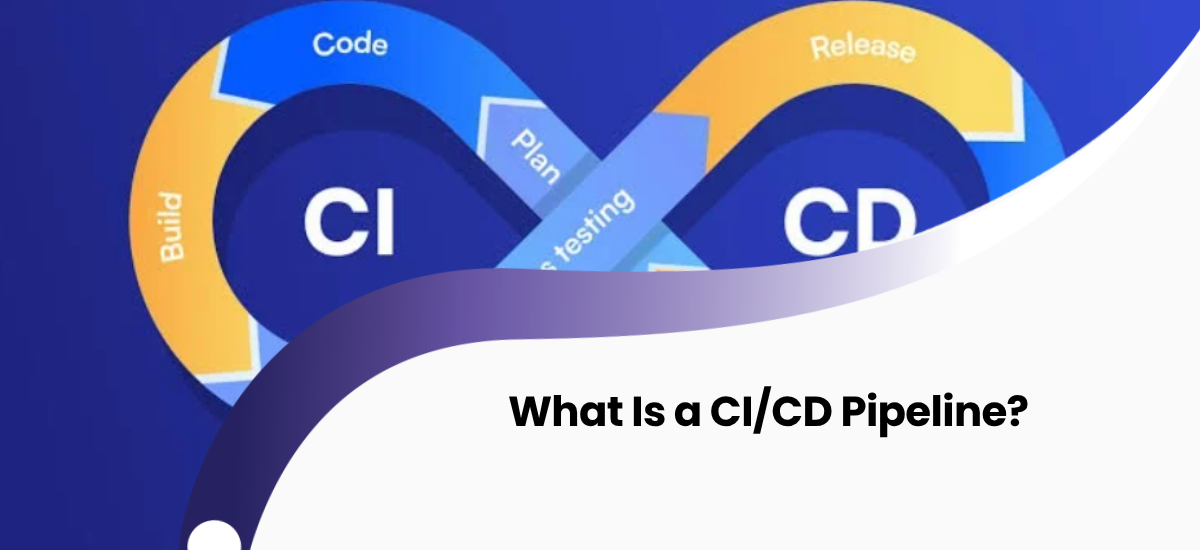
A CI/CD pipeline is the process through which code a developer writes is automatically checked, tested, and delivered to the end user. In simple terms, it's the automation of the entire path a change takes — from the moment it's pushed to the repository to the moment it appears in the application users are actually working with.
In the traditional approach, this process is handled by hand: a developer writes the code, a tester checks it manually, and a system administrator moves it to the server. Because a person is involved at every stage, both the time cost and the risk of error are high. A pipeline automates most of these steps instead — the moment code is written, testing kicks off, code that passes gets built automatically, and the finished package is pushed to the server.
What Does CI (Continuous Integration) Mean?
The first half of the pipeline is about continuous code integration. When several developers work on the same project, everyone's code needs to be merged with everyone else's frequently. Otherwise, when pieces of code that were built separately over weeks or months finally come together, you end up with a mountain of conflicts that can take weeks to sort out.
At this stage, the moment a developer pushes their code to the repository, the system automatically builds it, runs the existing tests, and reports the result back to the team. If a test fails, the developer finds out that same day — often that same hour — instead of months later.
CD: The Difference Between Continuous Delivery and Continuous Deployment
The letters "CD" are used to mean two different things, and this is where a lot of the confusion comes from.
Continuous Delivery means the code is automatically taken through testing and brought into a release-ready state, but a person still presses the final button to push it to production. This keeps control in the team's hands — for example, you might want to hold a release back a day so it doesn't clash with a marketing campaign.
Continuous Deployment goes one step further: any code that passes all its tests is automatically pushed straight to users, with no human step in between. For teams with a solid testing setup, this means shipping updates several times a day.
How a Pipeline Works, Step by Step
A real-world CI/CD pipeline typically runs through the following stages:
- Code push: The developer pushes the change to the repository.
- Automatic build: The system compiles the code into an executable form.
- Testing: Unit tests, integration tests, and sometimes automated functional tests all run.
- Quality checks: The code is scanned for standards compliance and security vulnerabilities.
- Deployment to staging: Code that passes is deployed to a test server that mirrors what users will see.
- Release to production: The code is shipped to users, either automatically or after one approval.
- Monitoring: The new version's performance and error rates are tracked.
All of this typically wraps up in a few minutes — a few hours for more complex projects — while doing the same thing by hand could easily take days.
Manual Deployment vs. CI/CD
| Criteria | Manual Deployment | CI/CD Pipeline |
|---|---|---|
| Release frequency | Monthly or quarterly | Daily, even hourly |
| Risk of human error | High | Minimal |
| Time to catch a problem | Weeks or months later | Within minutes |
| Team workload | Manual effort on every release | Set up once, then automated |
| Rollback | Complex and stressful | Possible with one click |
What Does CI/CD Actually Get You?
Before we get into numbers, let's look at the practical results. Teams that adopt CI/CD typically see:
- Faster delivery: A new feature reaches users within hours of being ready, instead of sitting around for months.
- Fewer bugs: Automated tests run on every change, so problems get caught before they ever reach production.
- More trust across the team: Developers can be more confident their code won't break something, because every step is checked.
- Easy rollbacks: If something goes wrong, you can return to the last stable version in minutes.
- Fewer late-night fire drills: Releases are small and frequent, which cuts down the stress that comes with big, one-off deployments.
Popular CI/CD Tools
There are dozens of tools on the market built for different needs. Some of the most widely used:
| Tool | What it's known for |
|---|---|
| GitHub Actions | Native GitHub integration, a good fit for small and mid-sized projects |
| GitLab CI/CD | Full pipeline management built into the GitLab ecosystem |
| Jenkins | Open source, extendable with a huge plugin library, a strong pick for complex projects |
| CircleCI | Cloud-based, fast setup, parallel test execution |
| Azure DevOps | Broad capabilities for enterprise projects running on the Microsoft ecosystem |
Which tool makes sense depends on your project's scale, your tech stack, and your team's experience. A small startup probably doesn't need everything Jenkins offers, but a simple tool won't cut it for a large enterprise.
The Most Common Mistakes When Setting Up a Pipeline
Most teams trying to adopt CI/CD fall into the same traps:
- Weak test coverage: If a pipeline is built without a solid test suite behind it, automation just means bugs reach production faster.
- Trying to automate everything at once: In large, complex projects, it's far more effective to move gradually — build first, then testing, then deployment — rather than trying to automate everything in a single day.
- Skipping monitoring: Even a pipeline that runs successfully can drift from what's actually happening in production. Without monitoring after a release, problems surface late.
- Not investing in team training: Even the best tool is useless if the team doesn't know how to use it properly.
How to Get Started with CI/CD
For a team starting from scratch, the right approach is small steps. Start by strengthening your existing test suite — no matter how well the pipeline is built, it doesn't mean much without reliable tests behind it. Then set up the simplest stage: the automatic build process. Once that's running reliably, add automated testing. Finally, as the team gains confidence, move on to automatic deployment to staging and then production.
Building this out with in-house resources alone — especially for teams without DevOps experience — can take months. That's why many companies choose to bring in outside expertise at this stage.
CI/CD Isn't Just a Tool, It's a Team Culture
A lot of teams treat CI/CD as purely a technical setup, assuming that once the right tool is picked, all their problems will solve themselves. In reality, a pipeline's success depends on the team's habits. Code needs to be pushed to the repository frequently, in small pieces — large changes held back for weeks undo all the benefits of automation.
At the same time, when a test fails, the team needs to treat it as a priority. If a "red" pipeline sits ignored for days, the team gradually stops paying attention to warnings, and the whole system loses its purpose. Successful teams don't look for someone to blame when something breaks — they ask, "how do we catch this next time?" That mindset strengthens both code quality and collaboration within the team.
Frequently Asked Questions
How long does it take to set up a CI/CD pipeline?
A few days for simple projects, a few weeks for complex, multi-service systems. The timeline mostly depends on the state of your existing test infrastructure.
Do small teams need CI/CD?
Yes. Even a two- or three-person team can significantly cut down the time lost and the error risk that comes with manual deployment.
How does CI/CD affect security?
A well-built pipeline can automate security checks too — every change pushed to the repository is scanned against known vulnerabilities, which helps catch problems before they reach users.
What happens if the pipeline fails?
When the test or build stage fails, the code doesn't move on to the next stage, and the team is notified immediately. This keeps broken code from ever reaching production.
Conclusion
A CI/CD pipeline isn't just for big tech companies anymore — it's a practical, accessible improvement for teams of any size. A well-built pipeline frees up your team's energy from repetitive, mechanical work and lets them focus on the product itself. The result: faster releases, fewer late nights, and a more reliable product for your users.
If your team wants to build a CI/CD process from scratch, or improve the one you already have, you can get in touch with the Crocusoft team.