 +994512060920


We are living in the era of rapid digitalization in the 21st century. Today, the success of a company, an institution, or even an individual professional in the market depends directly on how they are represented in the digital world. When people look for a service, want to buy a product, or simply gather information, they turn to "Google" first. If you are not there, it means you are one step behind your competitors. But what exactly is a website, which we hear about often and visit dozens of times every day? Is it just a collection of colorful pages, or is there complex engineering behind it?
In this extensive article, we will examine everything about websites from A to Z – from their technical working principles to choosing the right type of site for your business, covering all the details.
What is a Website? Digital Real Estate
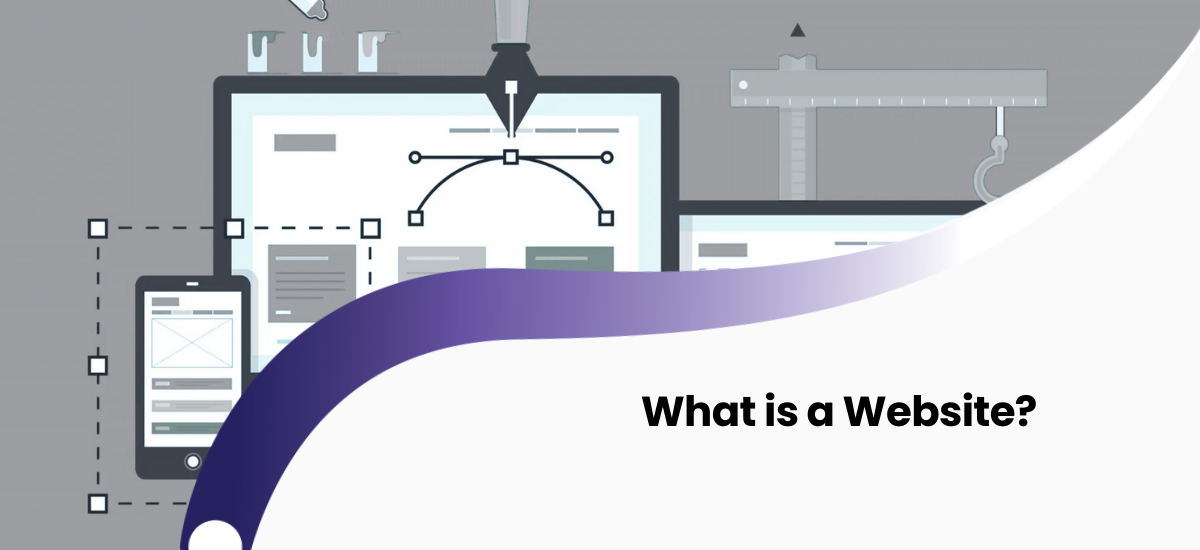
In its simplest and most understandable definition, a website is a collection of interlinked digital pages grouped under a specific address (domain) on the internet network (World Wide Web). These pages can consist of text, graphics, videos, animations, and programming codes.
Let's compare this to the physical world. Imagine the Internet is a giant, borderless metropolis. Your website is the office, store, or house you build in this city. Your domain name (e.g., yourcompany.com) is the door number and address of that office. Without knowing this address or searching for it on a map (search engines), people cannot come to your office. A web site is your digital representative that works uninterruptedly, 24 hours a day, 7 days a week.
Website vs. Web Page: Clarifying the Terminology
Many users use the terms "website" and "web page" interchangeably, but these are different terms. To understand the difference, let's use the classic book analogy:
- Website: This is the book in its entirety. All chapters, content, and the cover together make up the site.
- Web Page: This is each individual sheet inside the book.
For example, you enter a news portal. The portal itself (its entire structure) is a website. However, the "Technology News" article you read there, the "About Us" section, or the "Contact" form are separate web pages within that site. You can see the end of the URL address changing as you switch to each new page in the browser (e.g., site.com/contact).
What Happens Behind the Scenes? The Mechanics of a Website
 For the user, everything is simple: they type the address, press "Enter", and the site opens. But during these few milliseconds, a complex "conversation" process takes place in the background. Let's explain this process in simple steps:
- Request: When you enter the address into the browser (Chrome, Safari, Edge), the browser consults the DNS (Domain Name System) servers, which are the "phone book" of the internet, to find out which IP address (server) the domain name you typed belongs to.
- Connecting to the Server: Once the address is found, the browser sends a signal to that web server (the computer where the site's files are stored): "Give me the data for this page."
- Processing and Response: The server receives the incoming request. If the site is dynamic, the server collects data from the database, packages it into HTML, CSS, and JavaScript codes, and sends it back to the browser.
- Render: The browser reads these complex codes coming from the server and converts them into the colorful, buttoned, image-filled interface that you see.
The "Holy Trinity" for Creating a Website
To create a professional and functional web project, three fundamental components must come together. If one of these is missing, the site cannot exist:
1. Domain Name
This is your digital identity. A domain name must be unique; meaning there cannot be a second user in the world with the same domain (e.g., google.com). When choosing a domain, you should pay attention to keeping it short, memorable, and suitable for your business activities.
2. Web Hosting
This is your site's "home." The texts you prepare, the images you upload, and the code files cannot float in the air. They need to be physically stored in memory. Hosting companies rent you space on powerful servers (special computers). These servers are connected to the internet 24/7 so that users from anywhere in the world can access your site. The choice of hosting directly affects the site's speed and security.
3. Web Design and Coding
You bought the house address (Domain) and the plot of land (Hosting). Now you need to build the house.
- Web Design (UI/UX): Planning the external appearance, colors, logo, and user comfort of the site.
- Coding (Development): Making the design functional. This involves using HTML (skeleton), CSS (appearance), and programming languages (PHP, Python, JavaScript).
Classification of Websites: Which One is Right for You?
Not all sites serve the same purpose. Sites can be divided into various categories based on their technical structure and purpose. Making the right choice will help you save on your budget and meet your goals.
Technically: Static and Dynamic
Static Sites: A legacy of the early years of the internet. Content is fixed and looks the same to everyone. Even to change a comma on the site, a programmer must intervene in the codes. Suitable for small, informational pages.
Dynamic Sites: The modern standard. These sites are equipped with a Content Management System (CMS). You can change images and add new articles without coding knowledge. Facebook, Amazon, and news portals are dynamic sites. They interact with the user (writing comments, liking, adding to cart).
Types by Purpose:
- Corporate Websites: The official face of companies. Contains services, history, and contact information.
- E-Commerce Sites: Online stores. They have payment systems, product catalogs, and cart functions (e.g., Amazon).
- Portfolio Sites: Visually heavy sites for photographers, designers, and artists to showcase their work.
- Blogs: Platforms where articles about specific topics (technology, food, travel) are shared.
- Landing Page: Single-page sites usually prepared for advertising campaigns, focusing on the sale of a single product or service.
Modern Trend: WordPress and CMS Systems
Today, you don't need to be a genius programmer to create a website. Approximately 43% of sites in the world are built on the WordPress platform. Content Management Systems (CMS) like WordPress allow users to build professional sites using ready-made templates and "drag & drop" methods. It is strong in terms of SEO, and its functionality is endless thanks to thousands of plugins.
What Does a Website Bring to Your Business?
If you are still thinking "Do I need a site?", take a look at the following advantages:
- Global Accessibility: Your office closes at 6 PM, but your website never sleeps. A customer on the other side of the world can get acquainted with your product at midnight.
- Reliability and Prestige: When a modern customer is interested in a brand, their first action is to search for its site. A company without a site or with an outdated design creates an unreliable impression.
- Marketing and Analytics: By connecting tools like "Google Analytics" to your site, you can measure exactly who your customers are, where they come from, and which products they are interested in. This data is inaccessible in traditional advertising (billboard, TV).
Conclusion: Build Your Digital Future Today
A website is not just technology; it is the backbone of modern business. It is your digital passport, your best salesperson, and your most effective marketing tool. Whether it is a small blog or a giant e-commerce platform, a quality-built website will get you to your goals faster.
If you want to take your place in the digital world and obtain a professional, fast website, trusting professionals at every stage of the process is the right step.
Frequently Asked Questions (FAQ)
What is a website?
A website is a collection of web pages united under a unique domain name on the internet network, providing text, images, video, or services to users.
How much does a professional website cost?
The price varies in a wide range depending on the type of site (business card, corporate, e-commerce) and the required functionality. A technical specification (TS) must be prepared for an exact budget.
What is the difference between Domain and Hosting?
Domain is your site's address on the internet (e.g., google.com). Hosting is the server memory where the site's files are physically stored. One is the address, the other is the house.
Are Web Design and Web Programming the same thing?
No. Web design prepares the visual appearance and user experience (UI/UX) of the site. Web programming builds the code architecture necessary for the site to work in the background.
What should I do for my site to appear in Google search?
For this, your site must be prepared according to SEO (Search Engine Optimization) standards, be compatible with mobile devices, load fast, and be regularly enriched with unique content.